
Introduction
The Indian e-commerce industry is experiencing unprecedented growth, creating countless opportunities for businesses of every size. Whether you are a manufacturer, wholesaler, retailer, startup, or home-based entrepreneur, selling products online has become one of the most effective ways to expand your business beyond local markets. Millions of customers now prefer shopping online because of convenience, competitive pricing, and faster delivery. As a result, online marketplaces have become powerful platforms for businesses looking to increase their sales and build long-term brand value.
If you are planning to start selling online but are confused about where to begin, this E-Commerce Seller Registration Guide is designed specifically for you. Throughout this guide, you will learn everything required to successfully register and sell on India’s leading marketplaces including Amazon, Flipkart, Meesho, and Dsonmart.
Choosing the right marketplace is not only about registration. Every platform follows different policies regarding GST requirements, seller account approval, catalog uploads, commission charges, advertising options, order management, returns, withdrawals, and brand approval. Understanding these differences before creating your seller account can save significant time and reduce costly mistakes.
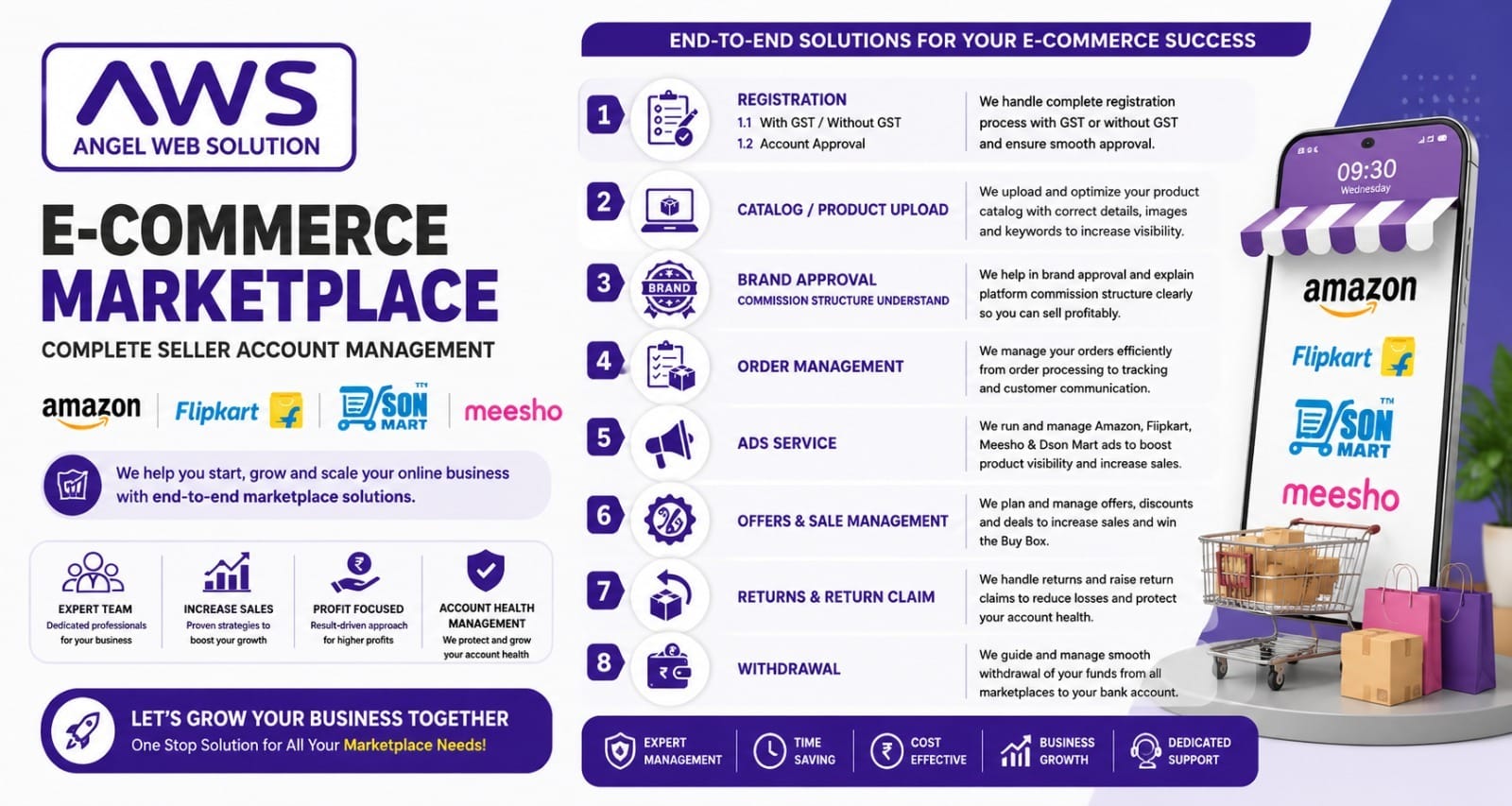
At Angel Web Solution (AWS), we help businesses complete their entire marketplace journey—from seller registration to product listing, brand approval, advertising, order management, and account growth. Instead of spending weeks understanding different marketplace rules, businesses can focus on growing sales while our experts handle the technical processes.
This E-Commerce Seller Registration Guide has been carefully prepared to simplify the complete marketplace onboarding process for beginners as well as experienced sellers.
Why Selling Online in 2026 is More Important Than Ever
The Indian digital economy continues to expand rapidly. Consumers from metropolitan cities, tier-2 cities, and even rural areas are now purchasing products through online marketplaces every day. Faster internet, digital payment adoption, affordable smartphones, and improved logistics have transformed customer buying behavior.
Businesses that rely only on offline sales often struggle to reach new customers. By contrast, online sellers can market their products across India without opening multiple physical stores.
Some of the biggest advantages of selling online include:
Reach Millions of Customers
Marketplaces such as Amazon, Flipkart, Meesho, and Dsonmart already have active customer bases. Instead of investing heavily in customer acquisition, sellers gain immediate access to millions of potential buyers.
Lower Investment
Starting an online business generally requires far less investment than opening physical retail outlets. Sellers can manage inventory efficiently and scale operations based on demand.
Sell Across India
A local business in Ahmedabad, Delhi, Surat, Mumbai, Jaipur, or any other city can receive orders from customers nationwide.
Better Business Growth
Marketplace analytics help sellers understand customer preferences, best-selling products, seasonal demand, and advertising performance.
Brand Building
Professional product listings, positive reviews, and consistent customer service help establish trust and create long-term brand recognition.
This is exactly why following a structured E-Commerce Seller Registration Guide becomes essential before launching your online business.
Why Choose Marketplace Selling Instead of Only Your Own Website?
Many new entrepreneurs ask an important question:
“Should I create my own website first, or should I start selling on marketplaces?”
The ideal answer is to use both. However, marketplaces provide a faster route to sales because they already attract large numbers of customers every day.
Let’s understand why.
Ready Customer Traffic
Marketplaces invest heavily in marketing campaigns, television advertisements, influencer promotions, and digital advertising. Sellers benefit from this existing traffic without spending massive advertising budgets.
Customer Trust
People are more comfortable purchasing from established marketplaces due to secure payment systems, verified sellers, return policies, and buyer protection programs.
Logistics Support
Platforms provide integrated courier services, shipping tools, and delivery tracking, making order fulfillment much easier.
Secure Payment Collection
Marketplace platforms handle payment processing securely and transfer seller payouts according to their payment schedules.
Marketing Opportunities
Sellers can increase product visibility through sponsored advertisements, promotional campaigns, discount offers, festive sales, and featured listings.
Every successful online business begins with a proper E-Commerce Seller Registration Guide, ensuring that all registration steps, documents, and marketplace requirements are completed correctly.
Meet India’s Leading Marketplace Platforms
Before starting registration, it is important to understand the strengths of each platform.
Amazon
Amazon is one of India’s largest online marketplaces, serving millions of customers across multiple product categories. It is known for high customer trust, fast delivery, and advanced seller tools.
Amazon is ideal for businesses that want nationwide reach, premium buyers, and access to advanced advertising options.
Key Advantages:
- Massive customer base
- Strong logistics support
- Amazon Ads
- Brand Registry
- FBA (Fulfillment by Amazon)
- Advanced analytics
Flipkart
Flipkart remains one of India’s most successful homegrown marketplaces. It attracts millions of daily shoppers and offers excellent opportunities for fashion, electronics, home products, and lifestyle categories.
Flipkart provides seller-friendly dashboards, promotional campaigns, and seasonal sale events that help increase visibility.
Key Advantages:
- Strong Indian customer base
- Regular sale campaigns
- Easy seller dashboard
- Brand growth opportunities
- Integrated logistics
Meesho
Meesho has changed online selling by making marketplace registration simple for individuals, resellers, and small businesses. It supports both GST and eligible non-GST selling categories, depending on applicable policies and product types.
Meesho focuses on affordability and high-volume sales.
Key Advantages:
- Beginner-friendly
- Large reseller ecosystem
- Easy product uploads
- Affordable advertising
- Fast onboarding
Dsonmart
Dsonmart is an emerging Indian marketplace designed to support businesses with flexible seller onboarding and lower entry barriers. It focuses on helping businesses build their online presence while maintaining competitive operational costs.
For businesses looking for personalized marketplace support, Dsonmart offers an attractive opportunity.
Key Advantages:
- Easy seller registration
- Lower commission structure
- Business-focused support
- Growing customer network
- Flexible onboarding process
Why Businesses Trust Angel Web Solution
Registering on multiple marketplaces may appear simple initially, but many businesses face issues such as:
- Incorrect documentation
- Account rejection
- Product upload errors
- GST confusion
- Brand approval delays
- Listing optimization problems
- Poor product visibility
- Low sales after registration
Angel Web Solution provides complete marketplace management services under one roof.
Our services include:
- Seller Registration
- GST & Non-GST Guidance
- Account Approval
- Product Catalog Upload
- SEO Product Listings
- Brand Approval
- Marketplace Advertising
- Order Management
- Return Management
- Offer & Sale Management
- Withdrawal Support
- Complete Marketplace Growth Strategy
Whether you are launching your first product or managing thousands of SKUs, our experienced team simplifies the entire process so you can focus on growing your business.
Starting an online business has become easier than ever before, but choosing the right marketplace and completing the registration process correctly are the first and most important steps. Every marketplace follows a slightly different registration process, document verification system, and approval timeline. Understanding these differences can save time and help you avoid account rejection.
This E-Commerce Seller Registration Guide explains how to register on Amazon, Flipkart, Meesho, and Dsonmart step by step. Whether you are a new entrepreneur or an established business owner, following the correct registration process will help you launch your products quickly and start generating sales.
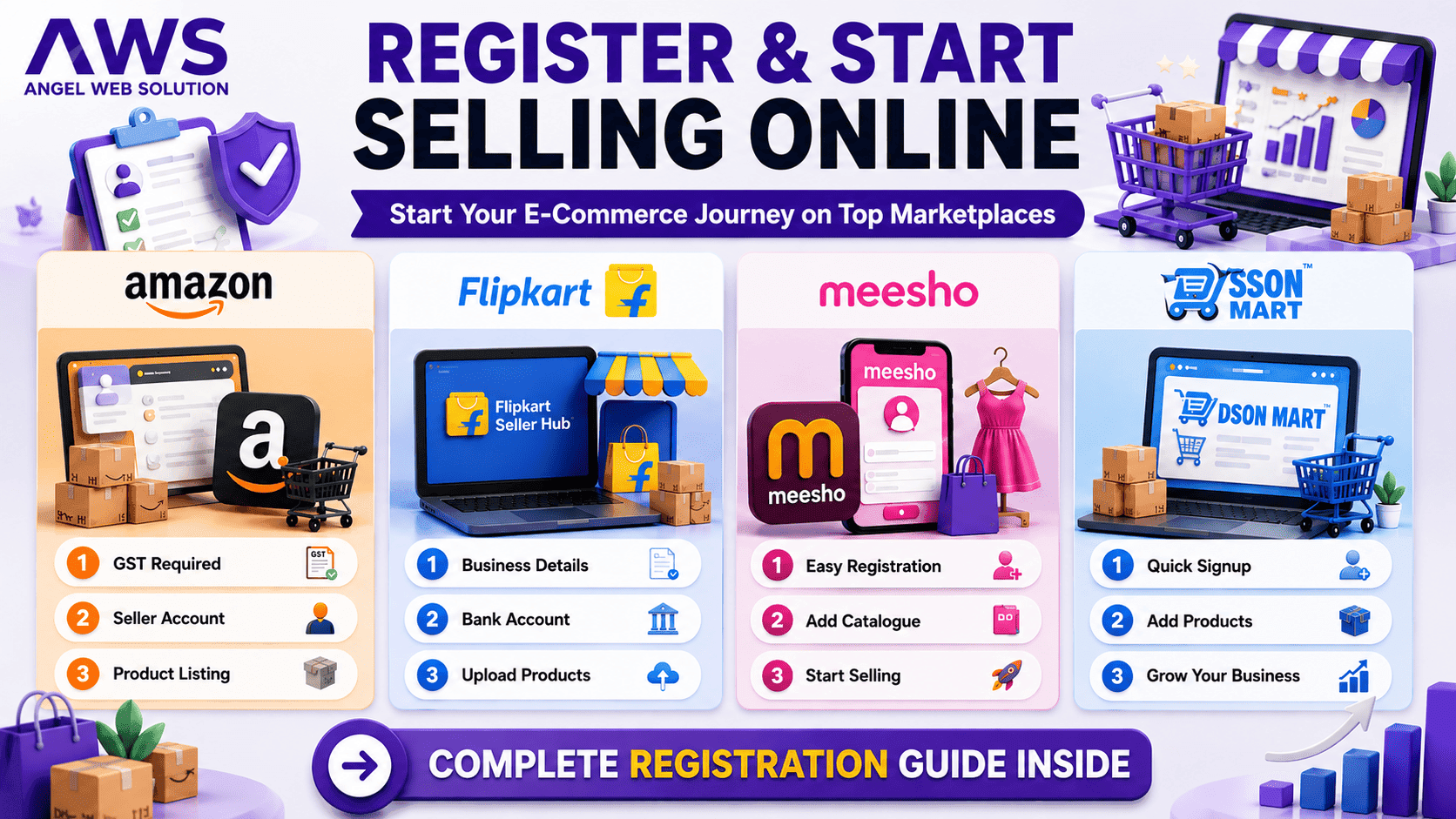
Register & Start Selling Online – Complete Seller Registration Process
Step 1: Decide Your Business Model
Before creating a seller account, identify your business type. This decision affects the documents you need and the way your business will operate on different marketplaces.
Common business types include:
- Individual Seller
- Sole Proprietorship
- Partnership Firm
- LLP
- Private Limited Company
- Manufacturer
- Wholesaler
- Distributor
- Brand Owner
If you are just starting your online business, Amazon, Flipkart, Meesho, and Dsonmart all provide opportunities based on your business structure. Choosing the correct business type is the first recommendation in every professional E-Commerce Seller Registration Guide.
Step 2: Keep Your Documents Ready
Most marketplaces require basic business documents before approving a seller account.
Generally required documents include:
- PAN Card
- Aadhaar Card
- Mobile Number
- Email ID
- Bank Account Details
- Cancelled Cheque
- Address Proof
- Business Address
- GST Certificate (where applicable)
- Brand Documents (if selling branded products)
Keeping all documents ready before registration speeds up verification and reduces approval delays.
Amazon Seller Registration Process
Amazon is one of India’s largest online marketplaces. The registration process is straightforward but requires accurate business information.
Registration Steps
- Create an Amazon Seller Account.
- Verify your mobile number and email address.
- Add PAN details.
- Enter bank account information.
- Upload GST details (where applicable).
- Verify your business address.
- Complete identity verification.
- Wait for seller account approval.
- Create your product catalog.
- Start selling.
Best For
- Manufacturers
- Private Labels
- Importers
- Established Businesses
- Brand Owners
Amazon provides excellent logistics support, advanced advertising solutions, and nationwide customer reach.
Flipkart Seller Registration Process
Flipkart offers an efficient registration process with an easy-to-use seller dashboard.
Registration Steps
- Visit Flipkart Seller Portal.
- Register using mobile number.
- Verify OTP.
- Enter PAN details.
- Add business information.
- Upload GST certificate (where required).
- Provide bank details.
- Submit required documents.
- Wait for account verification.
- Upload products.
Flipkart is especially popular for fashion, electronics, home improvement, and lifestyle products.
Meesho Seller Registration Process
Meesho has simplified online selling for small businesses and resellers.
Registration Steps
- Sign up using your mobile number.
- Verify OTP.
- Add pickup address.
- Enter bank details.
- Upload GST details if applicable.
- Verify seller profile.
- Add product catalog.
- Publish listings.
Meesho offers one of the easiest onboarding experiences, making it suitable for first-time online sellers.
Dsonmart Seller Registration Process
Dsonmart is designed to help businesses enter the online marketplace with a simple onboarding process.
Registration Steps
- Create a seller account.
- Verify email and mobile number.
- Complete business profile.
- Upload required documents.
- Verify bank account.
- Submit product details.
- Wait for approval.
- Start selling online.
Dsonmart focuses on providing personalized seller support and flexible onboarding for growing businesses.
With GST vs Without GST – Platform Comparison
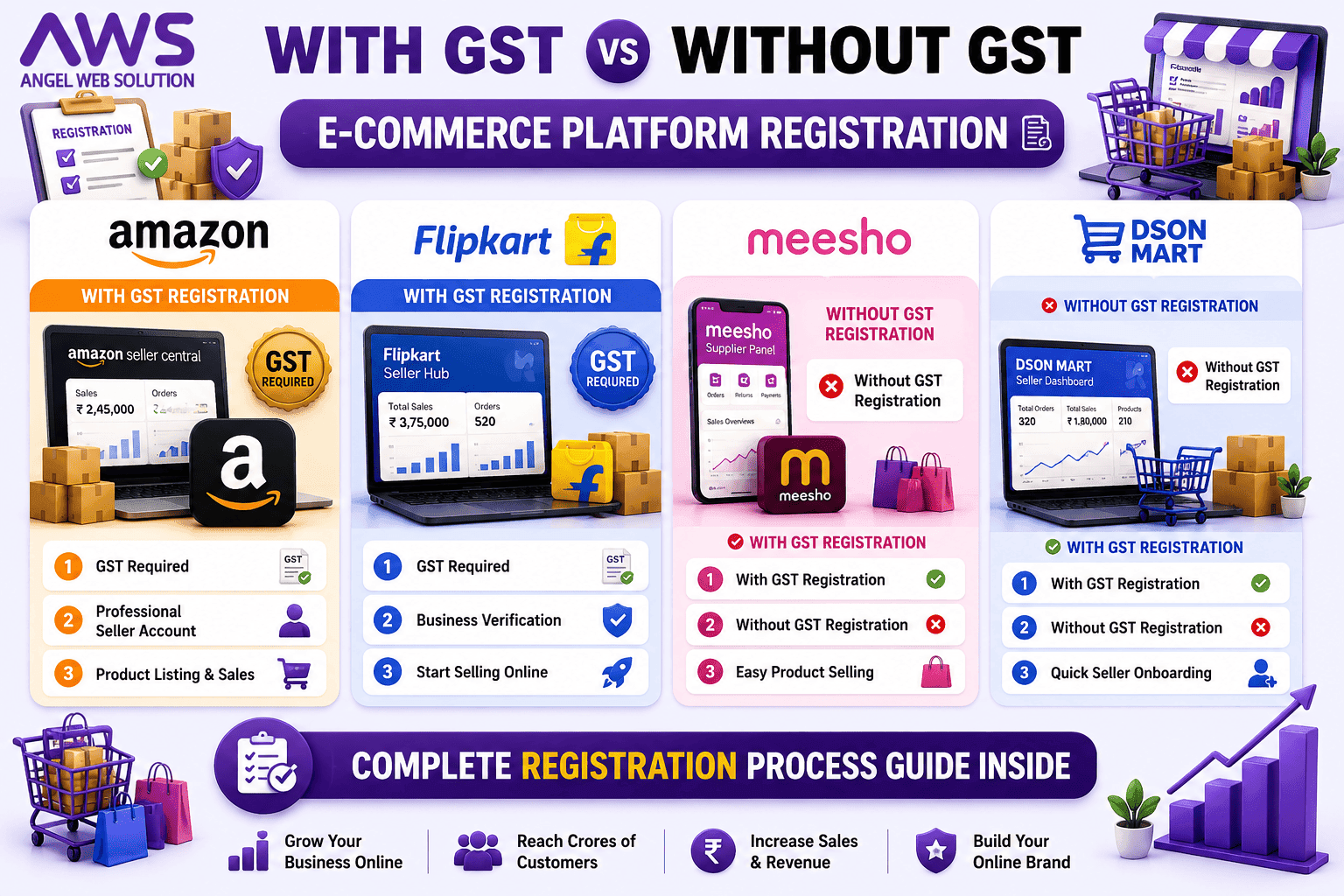
One of the most common questions asked by new sellers is whether GST registration is mandatory.
The answer depends on the marketplace and the product category.
| Platform | With GST | Without GST* |
| Amazon | ✔ Required for most taxable categories | Limited exemptions in specific cases |
| Flipkart | ✔ Generally required | Very limited exemptions |
| Meesho | ✔ Supported | ✔ Supported for eligible categories |
| Dsonmart | ✔ Supported | ✔ Supported (as per platform policy) |
*Eligibility depends on marketplace policies and applicable regulations.
Understanding GST requirements before registration is a key step in any E-Commerce Seller Registration Guide.
Which Platform is Best for Beginners?
| Platform | Best For |
|---|---|
| Amazon | Premium customers Nationwide reach Brand building Advanced advertising Large-scale growth |
| Flipkart | Electronics Fashion Lifestyle products Home essentials Consumer goods |
| Meesho | Small businesses Home-based sellers Resellers New entrepreneurs Budget-friendly products |
| Dsonmart | New online businesses Local manufacturers SMEs Regional brands Sellers looking for personalized support |
Common Registration Mistakes to Avoid
Many seller accounts are delayed or rejected because of simple errors.
Avoid these common mistakes:
- Incorrect PAN details
- Wrong bank account information
- Mismatched business name
- Invalid GST certificate
- Blurred document uploads
- Incorrect pickup address
- Duplicate seller accounts
- Missing verification steps
Double-check every detail before submitting your application to ensure a smooth approval process.
Why Professional Seller Registration Matters
Although registration appears simple, many businesses lose valuable time due to documentation errors, compliance issues, and listing mistakes. Professional guidance can help you avoid these challenges and get your products online faster.
At Angel Web Solution, we provide end-to-end marketplace onboarding services, including:
- Seller Registration
- GST & Non-GST Guidance
- Account Verification Support
- Product Listing Setup
- Marketplace Compliance
- Catalog Creation
- Brand Registration Assistance
- Marketplace Optimization
Our experts help businesses complete every step efficiently, allowing you to focus on sales rather than paperwork.
AWS Expert Recommendation
If you are planning to sell on multiple marketplaces, don’t register on all platforms randomly. Start with the platform that best matches your products, inventory, and business goals. Once your operations are stable, expand to additional marketplaces with optimized listings and synchronized inventory management.
Using a structured E-Commerce Seller Registration Guide ensures that your business follows the correct process from day one, reducing delays and improving long-term success.
Account Approval – Complete Seller Verification Guide
Creating a seller account is only the first step in your e-commerce journey. The real process begins after registration, when the marketplace verifies your identity, business information, banking details, and legal documents. Every marketplace has its own approval process, and even a small mistake can delay or reject your application.
This E-Commerce Seller Registration Guide explains how seller account approval works on Amazon, Flipkart, Meesho, and Dsonmart. Understanding these verification processes will help you avoid delays and start selling faster.
Why Account Approval is Important
Marketplace verification protects both buyers and sellers. It ensures that only genuine businesses can sell products online.
A verified seller account provides:
- Customer trust
- Secure payment processing
- Better marketplace credibility
- Protection against fraudulent activities
- Faster product approvals
- Eligibility for advertising campaigns
- Access to premium seller features
Without proper verification, you cannot upload products or receive customer orders.
Documents Required for Seller Account Approval
Although each marketplace has different requirements, most require the following documents:
Identity Proof
- PAN Card
- Aadhaar Card
- Passport (optional)
- Driving License (if requested)
Business Documents
- Proprietorship Details
- Partnership Deed
- LLP Certificate
- Company Incorporation Certificate
Address Proof
- Electricity Bill
- Bank Statement
- GST Certificate
- Rent Agreement
- Utility Bill
Bank Details
- Account Holder Name
- Account Number
- IFSC Code
- Cancelled Cheque
Tax Documents
- GST Certificate (where applicable)
- PAN linked to business
Brand Documents (if applicable)
- Trademark Certificate
- Brand Authorization Letter
- Manufacturer Authorization
Preparing these documents in advance significantly speeds up the approval process.
Amazon Seller Account Approval
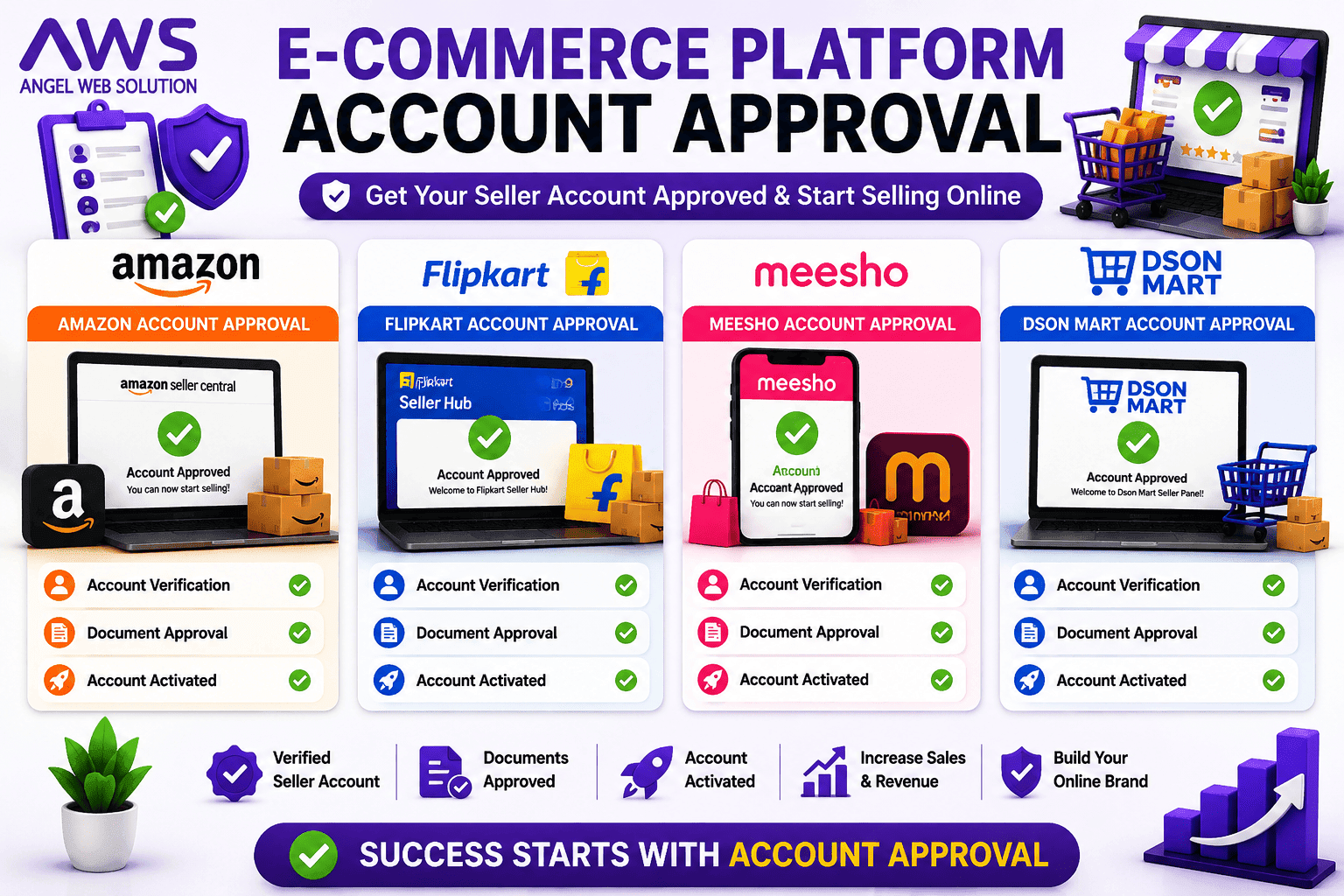
Amazon follows one of the most detailed verification systems among Indian marketplaces. Every seller must complete identity verification before listing products.
Amazon Verification Process
- Mobile verification
- Email verification
- PAN verification
- Bank account verification
- Business verification
- GST verification (where applicable)
- Video or identity verification (if requested)
- Address verification
- Final seller approval
Average Approval Time
Usually 2–7 business days, depending on document accuracy.
Common Reasons for Rejection
- Incorrect PAN information
- Blurred document uploads
- Name mismatch between PAN and bank account
- Invalid GST details
- Duplicate seller accounts
- Incomplete business profile
AWS Recommendation
Before submitting documents, ensure all names, addresses, and business details match exactly across every document.
Flipkart Seller Account Approval
Flipkart uses an automated verification system along with manual review for certain categories.
Verification Process
- Mobile verification
- PAN verification
- GST verification
- Bank account verification
- Pickup address verification
- Business information review
Average Approval Time
3–5 business days
Common Approval Issues
- Wrong GST number
- Incorrect pickup address
- Invalid bank details
- Category restrictions
- Missing business information
AWS Expert Tip
Always use an active pickup location where courier partners can easily collect orders.
Meesho Seller Approval
Meesho offers one of the fastest seller onboarding processes in India.
Verification Steps
- Mobile verification
- Bank verification
- Pickup address verification
- GST verification (if applicable)
- Product review
Average Approval Time
24–72 hours
Common Issues
- Wrong bank account
- Incorrect address
- Poor-quality product images
- Missing product information
Best Practice
Complete your seller profile before uploading products to avoid unnecessary verification delays.
Dsonmart Seller Approval
Dsonmart provides a simplified onboarding process while maintaining document verification standards.
Verification Includes
- Mobile number verification
- Email verification
- Business verification
- Bank account verification
- Document review
- Product category validation
Average Approval Time
Typically 1–3 business days, depending on the completeness of the submitted information.
Common Issues
- Incomplete documentation
- Invalid bank details
- Product category mismatch
- Incorrect business profile
Seller Account Approval Comparison
| Feature | Amazon | Flipkart | Meesho | Dsonmart |
| Mobile Verification | ✅ | ✅ | ✅ | ✅ |
| PAN Verification | ✅ | ✅ | ✅ | ✅ |
| Bank Verification | ✅ | ✅ | ✅ | ✅ |
| GST Verification | Applicable | Applicable | Applicable | Applicable |
| Address Verification | ✅ | ✅ | ✅ | ✅ |
| Average Approval | 2–7 Days | 3–5 Days | 1–3 Days | 1–3 Days |
Top 10 Reasons Seller Accounts Get Rejected
Many businesses assume registration is enough, but verification failures are common. Here are the most frequent reasons:
- Incorrect PAN details.
- Name mismatch between documents.
- Invalid or inactive bank account.
- Poor-quality scanned documents.
- Wrong pickup address.
- Duplicate seller accounts.
- Expired or invalid GST registration.
- Missing business details.
- Incorrect contact information.
- Failure to complete verification steps.
How Angel Web Solution Helps
At Angel Web Solution, we ensure your account approval process is completed correctly the first time.
Our team assists with:
- Document verification
- Business profile setup
- GST guidance
- Bank account validation
- Seller registration support
- Marketplace compliance
- Account approval assistance
By eliminating common mistakes, we help businesses reduce approval delays and start selling faster.
Complete Catalog & Product Upload Guide for Amazon, Flipkart, Meesho & Dsonmart
After your seller account is approved, the next critical step is uploading your product catalog. Your catalog is the digital representation of your products and plays a major role in attracting customers and increasing conversions. A professionally created catalog improves product visibility, builds customer trust, and helps products rank higher in marketplace search results.
This E-Commerce Seller Registration Guide explains the complete catalog upload process for Amazon, Flipkart, Meesho, and Dsonmart. Whether you are listing one product or thousands of SKUs, understanding catalog management is essential for long-term marketplace success.
What is a Product Catalog?
A product catalog is a collection of all the information that customers see before making a purchase. It includes everything from product titles and descriptions to images, specifications, pricing, inventory, and shipping details.
A complete product catalog generally contains:
- Product Name
- Product Images
- Brand Name
- Product Description
- Bullet Points
- Product Specifications
- SKU (Stock Keeping Unit)
- HSN Code
- GST Details
- Selling Price
- MRP
- Stock Quantity
- Weight & Dimensions
- Warranty Information
- Country of Origin
A well-organized catalog improves search rankings and customer confidence. This E-Commerce Seller Registration Guide recommends creating complete and accurate product listings to maximize sales.
Why Product Catalog Quality Matters
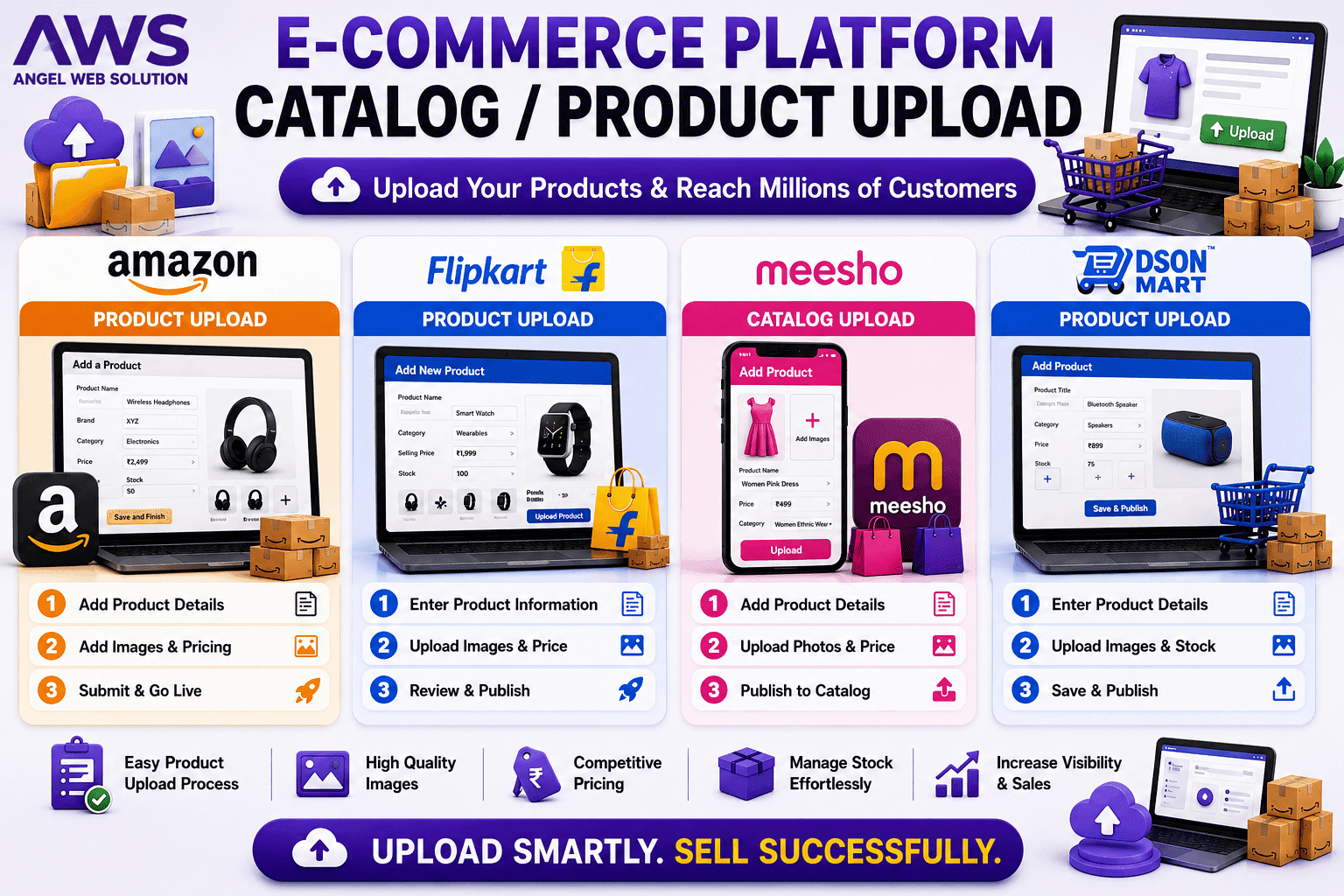
Many sellers believe that uploading products is enough. However, marketplace algorithms rank listings based on quality, completeness, and relevance.
A high-quality catalog helps you:
- Improve search visibility.
- Increase click-through rates.
- Reduce customer confusion.
- Improve conversion rates.
- Lower return requests.
- Build positive seller ratings.
- Increase repeat purchases.
Professional catalog management is one of the biggest factors influencing marketplace growth.
Amazon Product Upload Process
Amazon provides multiple methods to upload products depending on the number of SKUs.
Single Product Upload
Ideal for sellers with a small number of products.
Steps:
- Login to Amazon Seller Central.
- Click Add Product.
- Select the appropriate category.
- Enter product title.
- Add product images.
- Fill specifications.
- Enter pricing.
- Add inventory quantity.
- Complete shipping details.
- Publish the listing.
Bulk Product Upload
Businesses with large inventories can upload products using Excel templates.
Advantages:
- Upload thousands of products.
- Faster inventory management.
- Easy updates.
- Reduced manual work.
Flipkart Product Upload Process
Flipkart allows sellers to upload products individually or in bulk.
Steps
- Select product category.
- Fill mandatory attributes.
- Upload images.
- Enter HSN details.
- Add GST information.
- Mention dimensions and weight.
- Enter SKU.
- Set selling price.
- Submit for review.
After verification, the product becomes live on the marketplace.
Meesho Product Upload Process
Meesho has one of the simplest catalog upload systems for new sellers.
Required Information
- Product Name
- Category
- Images
- Description
- Material
- Size
- Color
- Weight
- Price
- Inventory
Meesho’s interface is beginner-friendly and allows sellers to publish products quickly.
Dsonmart Product Upload Process
Dsonmart offers an easy catalog management system that supports businesses of all sizes.
Upload Process
- Choose category.
- Enter product title.
- Upload high-quality images.
- Add specifications.
- Mention pricing.
- Enter inventory.
- Submit for approval.
- Publish listing.
Dsonmart also supports ongoing catalog updates for pricing, stock, and product information.
Essential Product Information
Every marketplace requires accurate product information. Missing or incorrect details can delay approval or reduce product visibility.
Product Title
A strong title should include:
- Brand Name
- Product Name
- Main Feature
- Size or Capacity
- Color (if applicable)
Example:
Angel Stainless Steel Water Bottle 1000ml Leak Proof for Travel
Avoid:
- ALL CAPS
- Keyword stuffing
- Special symbols
- Misleading information
Product Description
The description should clearly explain:
- Product features
- Benefits
- Usage instructions
- Material
- Dimensions
- Package contents
A detailed description reduces customer queries and improves buying confidence.
Bullet Points
Use concise bullet points to highlight:
- Premium quality
- Easy to use
- Durable material
- Lightweight
- Multipurpose usage
Bullet points improve readability and help customers make quick decisions.
Product Specifications
Specifications generally include:
- Brand
- Model
- Material
- Color
- Weight
- Capacity
- Size
- Warranty
- Country of Origin
Complete specifications improve search relevance and customer trust.
Product Images
Images are among the most important factors influencing online purchases.
Best practices include:
- White background
- High resolution
- Multiple viewing angles
- Zoom capability
- Lifestyle images
- Packaging images
- Dimension images
Avoid:
- Watermarks
- Blurry photos
- Low resolution
- Excessive text overlays
- Distracting backgrounds
Professional images significantly increase conversion rates.
SKU Management
SKU (Stock Keeping Unit) is a unique code assigned to each product.
Example:
- AWS-BOTTLE-001
- AWS-MUG-002
- AWS-BRUSH-003
Benefits of SKU management:
- Faster inventory tracking
- Easy order processing
- Reduced stock errors
- Better warehouse management
Every product variation should have a unique SKU.
Inventory Management
Proper inventory management helps prevent order cancellations.
Best practices:
- Update stock daily.
- Maintain safety stock.
- Remove discontinued products.
- Monitor fast-selling items.
- Forecast seasonal demand.
Keeping inventory accurate improves seller performance metrics.
SEO Product Listing Tips
A professionally optimized listing ranks higher in marketplace searches.
Use Relevant Keywords
Include keywords naturally in:
- Product title
- Description
- Bullet points
- Backend search terms (where applicable)
High-Quality Images
Marketplace algorithms favor listings with complete image galleries.
Complete Attributes
Fill every applicable field to improve discoverability.
Competitive Pricing
Compare similar products and price strategically.
Customer Reviews
Positive reviews improve rankings and build buyer confidence.
Following these practices aligns with the recommendations in this E-Commerce Seller Registration Guide and helps increase product visibility.
Common Catalog Upload Mistakes
Avoid these common errors:
- Incomplete product information.
- Incorrect category selection.
- Low-quality images.
- Duplicate listings.
- Missing specifications.
- Incorrect pricing.
- Wrong HSN code.
- Invalid GST details.
- Inaccurate inventory.
- Keyword stuffing in titles.
Correcting these issues before submission saves time and reduces listing rejections.
Angel Web Solution Catalog Services
At Angel Web Solution, we provide complete catalog management services for all major marketplaces.
Our services include:
- Product Listing Creation
- SEO Product Titles
- SEO Descriptions
- High-Quality Image Optimization
- SKU Management
- Inventory Setup
- Bulk Catalog Upload
- Category Mapping
- Attribute Optimization
- Listing Error Resolution
- Product Variations Setup
- Marketplace Compliance
Our goal is to ensure every product listing is optimized for visibility, customer engagement, and higher sales.
AWS Pro Tips
✔ Use unique product titles.
✔ Upload at least 5–8 high-quality images.
✔ Keep pricing competitive.
✔ Update inventory regularly.
✔ Write detailed product descriptions.
✔ Fill every specification field.
✔ Monitor listing performance weekly.
✔ Optimize products based on customer feedback.
✔ Participate in seasonal marketplace campaigns.
✔ Review and refresh listings periodically to maintain visibility.
Brand Approval Guide for Amazon, Flipkart, Meesho & Dsonmart

After completing your seller registration and uploading your product catalog, the next important milestone is Brand Approval. If you own your own brand, trademark, or manufacture products under your company name, obtaining brand approval can significantly improve your credibility, protect your listings, and help your products stand out in competitive marketplaces.
This E-Commerce Seller Registration Guide explains the complete brand approval process for Amazon, Flipkart, Meesho, and Dsonmart, including eligibility, required documents, benefits, common mistakes, and expert recommendations.
What is Brand Approval?
Brand Approval is the process through which a marketplace verifies that you are the legitimate owner or authorized seller of a brand. Once approved, your products gain additional protection against unauthorized edits, duplicate listings, and counterfeit sellers.
Brand approval also unlocks advanced marketplace features such as enhanced product pages, better search visibility, advertising opportunities, and brand analytics.
If you plan to build a long-term online business, brand approval should be one of your top priorities.
Why Brand Approval is Important
A verified brand offers several long-term advantages for sellers.
Protect Your Product Listings
Without brand approval, other sellers may attempt to edit your listings or sell similar products using your brand name. Brand approval helps safeguard your product information and brand identity.
Build Customer Trust
Customers are more likely to purchase products from verified brands because they associate them with authenticity, quality, and reliability.
Improve Search Visibility
Many marketplaces provide better exposure to verified brands, helping products appear more prominently in search results.
Access Premium Marketing Tools
Brand-approved sellers often gain access to advanced advertising features, enhanced content options, and promotional campaigns that are not available to standard sellers.
Reduce Counterfeit Risks
Marketplace brand protection programs help prevent unauthorized sellers from using your brand name or creating fake listings.
Amazon Brand Approval
Amazon offers one of the most advanced brand protection systems through Amazon Brand Registry.
Benefits
- Brand ownership protection
- Enhanced product pages (A+ Content)
- Sponsored Brand Ads
- Brand Store creation
- Counterfeit protection
- Brand Analytics
- Better control over listings
Documents Required
- Registered Trademark
- Brand Logo
- Trademark Certificate
- Brand Name
- Product Images showing branding
- Website or social presence (recommended)
- Authorized seller details (if applicable)
Brand Approval Process
- Register your trademark.
- Apply for Amazon Brand Registry.
- Submit brand details.
- Verify ownership through OTP/email.
- Amazon reviews the application.
- Brand Registry is activated after approval.
Flipkart Brand Approval
Flipkart allows brand owners to register and verify their brands to improve marketplace credibility.
Benefits
- Brand protection
- Better listing control
- Increased customer confidence
- Enhanced catalog quality
- Participation in brand campaigns
Required Documents
- Trademark Certificate
- GST Certificate
- Brand Authorization Letter (if applicable)
- PAN Card
- Business Details
- Product Images
Approval Process
- Submit brand application.
- Upload required documents.
- Marketplace verification.
- Approval notification.
- Start listing products under your verified brand.
Meesho Brand Approval
Meesho supports branded products while maintaining a simplified onboarding process.
Advantages
- Brand recognition
- Improved customer trust
- Better product categorization
- Professional marketplace presence
Although Meesho’s process is simpler than Amazon’s, maintaining accurate product information and proof of ownership is still essential.
Dsonmart Brand Approval
Dsonmart encourages Indian manufacturers and brand owners to build their online identity.
Benefits
- Verified brand profile
- Enhanced marketplace visibility
- Brand-specific support
- Better customer confidence
- Long-term business growth
Typical Requirements
- Brand Name
- Business Registration
- Trademark (if available)
- Product Images
- Manufacturer Information
- Brand Logo
Trademark – Why It Matters
A trademark legally protects your brand name, logo, and identity. Although some marketplaces allow listings without a registered trademark in certain cases, obtaining one provides stronger protection and smoother brand approval.
Benefits include:
- Exclusive ownership rights
- Legal protection
- Easier marketplace verification
- Improved brand credibility
- Stronger customer confidence
For businesses planning long-term growth, trademark registration is a valuable investment.
Brand Approval Comparison
| Feature | Amazon | Flipkart | Meesho | Dsonmart |
| Brand Registry | Yes | Yes | Limited by category | Yes |
| Trademark Preferred | Yes | Yes | Recommended | Recommended |
| Brand Protection | Excellent | Good | Moderate | Good |
| Enhanced Content | Yes | Limited | Limited | Growing |
| Brand Analytics | Yes | Limited | No | Platform Features |
Common Reasons for Brand Approval Rejection
Many applications are delayed or rejected due to avoidable mistakes.
Common issues include:
- Trademark details do not match the business name.
- Blurred or incomplete documents.
- Incorrect brand logo.
- Product images without visible branding.
- Unauthorized seller attempting to register a brand.
- Inconsistent company information.
- Missing authorization letters.
- Duplicate applications.
Review all information carefully before submission to improve your chances of approval.
Best Practices for Building a Strong Brand
Creating a successful brand requires more than approval. Follow these best practices to establish a professional presence:
Maintain Consistent Branding
Use the same brand name, logo, colors, and messaging across your website, marketplace listings, packaging, and social media.
Invest in Professional Product Photography
High-quality images help customers recognize your brand and improve conversion rates.
Create SEO-Friendly Listings
Well-written titles, descriptions, and keywords improve discoverability while supporting this E-Commerce Seller Registration Guide strategy.
Deliver Excellent Customer Service
Fast responses, accurate order fulfillment, and hassle-free returns contribute to positive reviews and long-term customer loyalty.
Monitor Your Brand Regularly
Keep an eye on marketplace listings to identify unauthorized sellers, incorrect product information, or counterfeit products.
Angel Web Solution Brand Services
At Angel Web Solution, we help businesses build, protect, and grow their brands across multiple marketplaces.
Our services include:
- Brand Approval Assistance
- Trademark Guidance
- Brand Registry Support
- Marketplace Compliance
- SEO Product Listings
- Enhanced Product Content
- Brand Store Setup
- Product Image Optimization
- Catalog Management
- Marketplace Advertising
- Performance Monitoring
Whether you are launching a new brand or expanding an existing one, our team ensures a smooth and professional brand presence.
Commission Structure – Complete Guide for Amazon, Flipkart, Meesho & Dsonmart
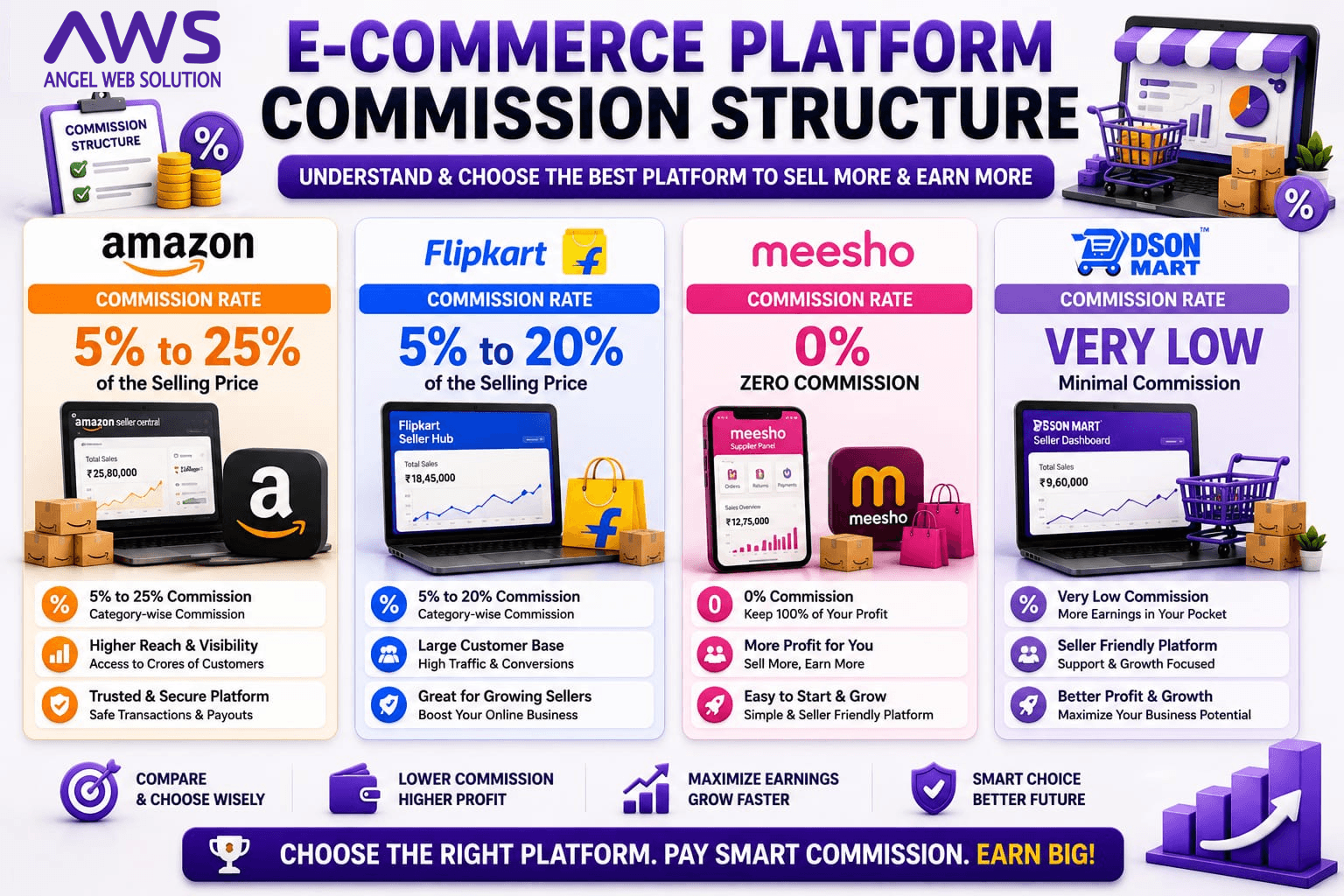
One of the biggest mistakes new sellers make is focusing only on product pricing while ignoring marketplace commission, shipping fees, payment collection charges, and advertising costs. Before listing your products, it is essential to understand how each marketplace calculates its commission and how those charges affect your profit margin.
This E-Commerce Seller Registration Guide explains the commission structure of Amazon, Flipkart, Meesho, and Dsonmart. It also provides practical tips to improve profitability and choose the right marketplace for your business.
What is Marketplace Commission?
Marketplace commission is the fee charged by an online selling platform for every successful order. Instead of charging sellers a fixed monthly subscription in most cases, marketplaces deduct a percentage of the selling price when a product is sold.
The commission percentage depends on several factors, including:
- Product Category
- Selling Price
- Brand Type
- Fulfillment Method
- Shipping Location
- Marketplace Policy
- Promotional Campaigns
Understanding these charges is a crucial step in any E-Commerce Seller Registration Guide, as it helps sellers price products correctly and avoid unexpected deductions.
Types of Charges Every Seller Should Know
Marketplace deductions are not limited to commission. Sellers should be aware of several additional charges that may apply.
1. Referral Commission
This is the percentage charged by the marketplace for facilitating the sale of your product.
2. Shipping Charges
Depending on the platform and logistics service used, shipping costs may vary based on product weight, dimensions, and delivery location.
3. Closing Fee
Some marketplaces charge a fixed closing fee per order depending on the order value.
4. Payment Collection Fee
A small fee may be deducted for processing online payments and transferring payouts.
5. Advertising Cost
Sponsored advertisements and promotional campaigns are optional but can increase product visibility.
6. Return Handling Charges
In some situations, marketplaces may deduct fees related to customer returns, reverse logistics, or claim processing.
A profitable seller always considers all these costs before setting the final selling price.
Amazon Commission Structure
Amazon offers one of the largest customer bases in India but also has a structured fee model.
Charges May Include
- Referral Fee
- Closing Fee
- Shipping Fee (if applicable)
- GST on Marketplace Services
- Advertising Cost (optional)
- FBA Charges (if using Fulfillment by Amazon)
Advantages
- Large customer reach
- Premium buyers
- Strong logistics network
- Advanced advertising tools
- High brand trust
Considerations
- Commission varies by category.
- Some categories have additional compliance requirements.
- Advertising is often needed in competitive markets.
Amazon is an excellent choice for businesses planning long-term growth and nationwide expansion.
Flipkart Commission Structure
Flipkart follows a category-based commission model similar to Amazon.
Charges May Include
- Referral Commission
- Fixed Fee
- Collection Fee
- Shipping Charges
- GST on Service Charges
- Advertising Expenses
Advantages
- High customer traffic
- Popular festive sale events
- Easy seller dashboard
- Reliable logistics
Considerations
- Commission depends on product category.
- Sellers should review category-specific fee schedules before listing products.
Flipkart is particularly suitable for fashion, electronics, home, and lifestyle businesses.
Meesho Commission Structure
Meesho has simplified online selling for small businesses and resellers.
Charges May Include
- Marketplace Service Fee
- Shipping Charges
- Advertising (Optional)
- Return Charges (where applicable)
Advantages
- Beginner-friendly ecosystem
- Lower entry barrier
- Fast onboarding
- Easy catalog management
Considerations
- Pricing competition can be high.
- Profit margins depend on product category and selling strategy.
Meesho is often chosen by first-time online sellers looking for a simple marketplace experience.
Dsonmart Commission Structure
Dsonmart focuses on supporting businesses with a flexible marketplace model.
Charges May Include
- Platform Commission
- Shipping Charges
- Promotional Services (Optional)
- Return Processing (if applicable)
Advantages
- Business-friendly onboarding
- Personalized seller support
- Competitive marketplace environment
- Flexible growth opportunities
Considerations
- Sellers should review the latest fee structure available on the platform before pricing products.
Marketplace Commission Comparison
| Feature | Amazon | Flipkart | Meesho | Dsonmart |
| Commission Model | Category Based | Category Based | Category Based | Category Based |
| Shipping Charges | Applicable | Applicable | Applicable | Applicable |
| Closing Fee | Applicable | Applicable | Platform Policy | Platform Policy |
| Payment Collection | Yes | Yes | Yes | Yes |
| Advertising | Optional | Optional | Optional | Optional |
| GST on Services | Applicable | Applicable | Applicable | Applicable |
Note: Commission percentages vary by category and can change over time. Always check the latest seller fee schedule before listing products.
How to Calculate Your Profit Margin
Before uploading any product, calculate the total cost involved.
Example
Selling Price: ₹1,000
Less:
- Product Cost
- Marketplace Commission
- Shipping Charges
- GST
- Packaging Cost
- Advertising Cost
- Return Provision
Remaining Amount = Actual Profit
Many sellers make the mistake of calculating profit based only on product cost and selling price, which can lead to lower margins.
Tips to Increase Profitability
Choose the Right Product
Select products with healthy margins rather than relying only on high sales volume.
Optimize Pricing
Study competitor pricing and adjust your prices strategically without compromising profitability.
Improve Product Listings
High-quality images, accurate descriptions, and SEO-friendly titles increase conversion rates and reduce advertising costs.
Reduce Returns
Clear product descriptions and accurate specifications help minimize customer returns and associated expenses.
Manage Inventory Efficiently
Maintain optimal stock levels to avoid cancellations and storage issues.
Following these practices, along with this E-Commerce Seller Registration Guide, helps sellers maximize profits while maintaining customer satisfaction.
Angel Web Solution Commission Analysis Service
Understanding marketplace fees can be challenging, especially for new sellers. At Angel Web Solution, we help businesses analyze their cost structure and create profitable pricing strategies.
Our services include:
- Commission Analysis
- Profit Margin Calculation
- Product Pricing Strategy
- Marketplace Cost Evaluation
- Competitor Price Analysis
- Category Selection Guidance
- Advertising Budget Planning
- Marketplace Performance Optimization
Our goal is to help sellers make informed decisions and build sustainable e-commerce businesses.
Order Management Guide for Amazon, Flipkart, Meesho & Dsonmart
Order Management is one of the most important aspects of running a successful online business. Registering on a marketplace and uploading products is only the beginning. Once customers start placing orders, your ability to process them quickly, manage inventory accurately, and deliver products on time directly impacts your seller rating, customer satisfaction, and long-term business growth.
This E-Commerce Seller Registration Guide explains the complete order management process for Amazon, Flipkart, Meesho, and Dsonmart. Whether you receive five orders per day or five thousand, a structured order management system will help you scale efficiently while maintaining excellent customer service.
What is Order Management?
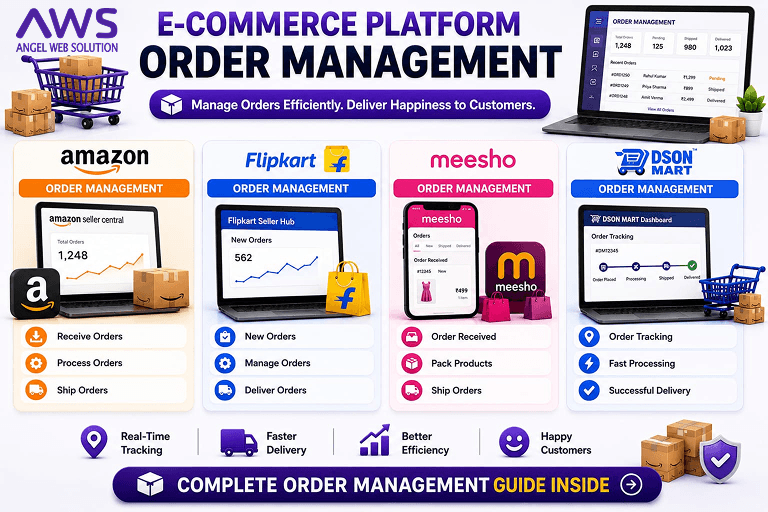
Order Management is the process of handling every stage of a customer’s purchase, from the moment an order is placed until it is successfully delivered and the payment is received.
The process includes:
- Receiving orders
- Confirming availability
- Inventory allocation
- Invoice generation
- Product packaging
- Shipping
- Delivery tracking
- Customer communication
- Return handling
- Payment settlement
An efficient order management system minimizes delays, reduces errors, and improves customer trust. Every successful E-Commerce Seller Registration Guide emphasizes order management because it directly affects marketplace performance metrics.
Why Order Management is Important
A well-managed order process offers several benefits:
Faster Deliveries
Quick order processing leads to faster shipments, improving customer satisfaction and increasing positive reviews.
Better Inventory Control
Accurate inventory management prevents overselling and stock shortages.
Higher Seller Ratings
Marketplaces reward sellers who consistently dispatch orders on time and maintain low cancellation rates.
Reduced Operational Costs
Organized workflows reduce manual errors and improve efficiency.
Increased Customer Retention
Customers are more likely to purchase again from sellers who provide a smooth buying experience.
Complete Order Lifecycle
Every order follows a structured workflow.
Step 1 – Customer Places an Order
The customer selects a product and completes the purchase on the marketplace.
Step 2 – Seller Receives Notification
The seller dashboard displays the new order with customer details, shipping information, and order value.
Step 3 – Verify Inventory
Before processing, confirm that the product is available in stock.
Step 4 – Generate Invoice
Create the invoice according to marketplace guidelines and applicable tax regulations.
Step 5 – Packaging
Pack the product securely using quality packaging materials to avoid damage during transit.
Step 6 – Courier Pickup
The logistics partner collects the shipment from the pickup location.
Step 7 – Delivery Tracking
Customers receive tracking updates until the order is delivered.
Step 8 – Payment Settlement
After successful delivery, the marketplace releases the payment according to its payout schedule.
Amazon Order Management
Amazon provides one of the most advanced order management systems through Seller Central.
Features
- Real-time order dashboard
- Automatic shipping updates
- Inventory synchronization
- Invoice management
- Return management
- Customer messaging
- Order analytics
Fulfillment Options
Merchant Fulfilled Network (MFN)
The seller stores inventory, packs orders, and ships them through approved courier partners.
Fulfillment by Amazon (FBA)
Amazon stores inventory, packs products, ships orders, handles customer service, and manages eligible returns.
Benefits
- Faster deliveries
- Prime eligibility (where applicable)
- Reduced operational workload
- Better customer experience
Flipkart Order Management
Flipkart Seller Hub provides a comprehensive dashboard for managing orders.
Features
- Order notifications
- Shipment scheduling
- Invoice generation
- Inventory updates
- Return tracking
- Performance reports
Best Practices
- Accept orders promptly.
- Prepare shipments before pickup time.
- Maintain accurate inventory.
- Monitor delivery performance.
Meesho Order Management
Meesho offers a simplified workflow suitable for new sellers and small businesses.
Seller Dashboard Includes
- New order notifications
- Pickup scheduling
- Inventory updates
- Payment reports
- Return requests
- Delivery tracking
Advantages
- Beginner-friendly interface
- Simple logistics process
- Easy order monitoring
- Quick payment reports
Dsonmart Order Management
Dsonmart provides an intuitive order management system designed to help businesses manage sales efficiently.
Key Features
- Order tracking dashboard
- Inventory synchronization
- Shipment management
- Customer notifications
- Payment reports
- Return request handling
Dsonmart aims to simplify order processing while supporting business growth.
Inventory Synchronization
One of the biggest challenges for multi-platform sellers is inventory management.
If you sell the same product on Amazon, Flipkart, Meesho, and Dsonmart, inventory must remain synchronized across all platforms.
Example:
Available Stock = 100 Units
Amazon sells 20.
Flipkart sells 15.
Meesho sells 10.
Remaining inventory should automatically update to 55 Units across all marketplaces.
Without proper inventory management, overselling can occur, leading to order cancellations and poor seller ratings.
Shipping & Logistics
Reliable shipping is essential for maintaining customer satisfaction.
Logistics Process
- Order confirmed
- Product packed
- Shipping label generated
- Courier pickup
- Transit updates
- Delivery confirmation
Most marketplaces provide integrated logistics services, making shipment management easier for sellers.
Packaging Guidelines
Good packaging protects products and reduces return requests.
Best practices include:
- Use strong corrugated boxes.
- Bubble wrap fragile items.
- Seal packages securely.
- Include invoices.
- Use marketplace-approved labels.
- Protect products from moisture.
- Avoid oversized packaging.
Professional packaging also enhances your brand image.
Order Cancellation Management
Order cancellations affect seller performance.
Common Reasons
- Out of stock
- Incorrect pricing
- Damaged products
- Delayed dispatch
- Address issues
- Seller error
How to Reduce Cancellations
- Update inventory regularly.
- Verify product availability.
- Monitor pricing.
- Prepare orders quickly.
- Communicate with customers when necessary.
Delivery Tracking
Customers expect real-time shipment updates.
Marketplace dashboards provide tracking information such as:
- Order confirmed
- Packed
- Picked up
- In transit
- Out for delivery
- Delivered
Transparent tracking improves customer confidence and reduces support inquiries.
Customer Communication
Professional communication helps maintain positive seller ratings.
Best practices include:
- Respond promptly to customer questions.
- Provide accurate product information.
- Resolve issues politely.
- Handle complaints professionally.
- Follow marketplace communication policies.
Satisfied customers are more likely to leave positive reviews and become repeat buyers.
Order Management Comparison
| Feature | Amazon | Flipkart | Meesho | Dsonmart |
| Order Dashboard | Advanced | Advanced | Easy | Easy |
| Inventory Management | Excellent | Excellent | Good | Good |
| Shipping Integration | Yes | Yes | Yes | Yes |
| Tracking Updates | Real-Time | Real-Time | Real-Time | Real-Time |
| Invoice Generation | Yes | Yes | Yes | Yes |
| Return Management | Yes | Yes | Yes | Yes |
| Payment Reports | Detailed | Detailed | Standard | Standard |
Common Order Management Mistakes
Avoid these common issues:
- Delayed order confirmation.
- Incorrect inventory updates.
- Poor packaging.
- Missing invoices.
- Incorrect shipping labels.
- Ignoring customer messages.
- Late dispatch.
- Failure to monitor seller dashboard.
- High cancellation rates.
- Lack of stock planning.
Addressing these issues helps improve operational efficiency and customer satisfaction.
Angel Web Solution Order Management Services
Managing orders across multiple marketplaces can become complex as your business grows. Angel Web Solution provides complete order management support to help businesses streamline operations and improve marketplace performance.
Our services include:
- Multi-Platform Order Management
- Inventory Synchronization
- Shipping Coordination
- Invoice Management
- Product Dispatch Support
- Seller Dashboard Management
- Return Processing Assistance
- Performance Monitoring
- Marketplace Optimization
- Operational Consulting
We help businesses create efficient workflows that reduce manual effort and improve customer experience.
Ads Service – Complete Advertising Guide for Amazon, Flipkart, Meesho & Dsonmart
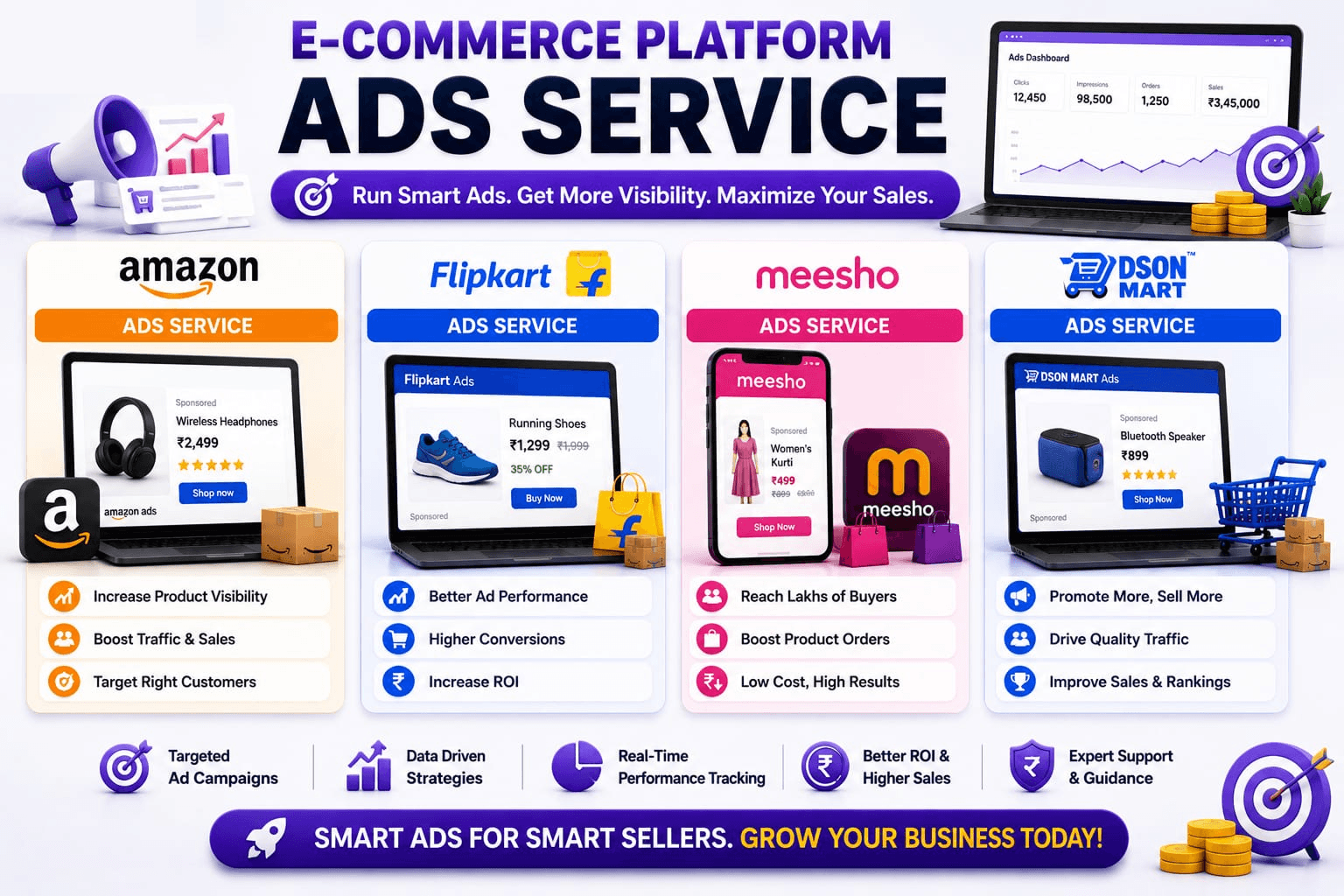
Creating a seller account and uploading products are only the beginning of your e-commerce journey. Thousands of sellers list similar products every day, making competition extremely high. Simply publishing products does not guarantee visibility or sales. To reach more customers, improve product visibility, and increase revenue, sellers need a well-planned advertising strategy.
This E-Commerce Seller Registration Guide explains how advertising works on Amazon, Flipkart, Meesho, and Dsonmart. You will learn about campaign types, budget planning, keyword targeting, performance tracking, and best practices to maximize return on investment.
Why Marketplace Advertising is Important
Customers usually click on products that appear on the first page of search results. Advertising helps your products gain this visibility quickly instead of waiting for organic rankings.
Benefits of marketplace advertising include:
- Increase product visibility
- Reach targeted customers
- Boost sales
- Improve brand awareness
- Launch new products successfully
- Generate repeat customers
- Increase conversion rates
- Improve product rankings
Advertising should always complement high-quality product listings. Together, they create a stronger selling strategy.
Amazon Ads
Amazon offers one of the most advanced advertising platforms in the e-commerce industry.
Types of Amazon Ads
Sponsored Products
Promote individual products in Amazon search results and product pages.
Sponsored Brands
Display your brand logo, headline, and multiple products together to improve brand awareness.
Sponsored Display
Show ads to customers who have viewed similar products or demonstrated purchase intent.
Amazon Brand Store Promotion
Drive traffic to your customized Amazon Brand Store and showcase your complete product range.
Advantages of Amazon Ads
- Large customer reach
- Keyword targeting
- Product targeting
- Advanced analytics
- Automatic & manual campaigns
- Flexible daily budgets
- Performance reports
Flipkart Ads
Flipkart provides advertising solutions that help sellers improve product visibility during regular sales and major shopping festivals.
Popular Campaign Types
- Sponsored Product Ads
- Display Ads
- Banner Promotions
- Search Promotions
- Category Promotions
Benefits
- Increased product impressions
- Better search rankings
- More customer clicks
- Improved sales during events
- Targeted advertising options
Meesho Ads
Meesho continues expanding its advertising ecosystem to help sellers promote their products more effectively.
Advertising on Meesho can help:
- Increase product visibility
- Improve catalog performance
- Reach new customers
- Boost sales
- Promote seasonal offers
For new sellers, investing in advertising after creating optimized listings can accelerate growth.
Dsonmart Ads
Dsonmart offers promotional opportunities for sellers who want to increase product exposure within the marketplace.
Advertising features may include:
- Featured Products
- Homepage Promotions
- Category Highlights
- Seasonal Campaigns
- Sponsored Listings
As the platform grows, advertising becomes an important way for sellers to improve product visibility and attract more buyers.
Advertising Campaign Setup
Before starting any campaign, prepare the following:
Product Selection
Choose products with:
- High demand
- Good reviews
- Attractive pricing
- Professional images
- SEO-friendly descriptions
Budget Planning
Decide:
- Daily Budget
- Monthly Budget
- Target Sales
- Profit Margin
- Advertising Goals
Never advertise products that have poor listings or insufficient inventory.
Keyword Research
Keywords determine when your advertisements appear.
Example keywords:
- Water Bottle
- Stainless Steel Bottle
- Sports Bottle
- Kitchen Storage
- Plastic Organizer
Use both:
Broad Keywords
Reach larger audiences.
Exact Keywords
Target highly relevant buyers with stronger purchase intent.
Good keyword research increases advertising efficiency and reduces wasted spending.
Automatic vs Manual Campaigns
Automatic Campaign
Marketplace algorithms automatically select keywords based on product relevance.
Advantages:
- Easy to start
- Discover new keywords
- Minimal setup
Best for:
- New sellers
- New products
Manual Campaign
The seller chooses keywords, bids, and targeting options.
Advantages:
- Better control
- Higher optimization
- Improved profitability
- Better keyword targeting
Best for:
- Experienced sellers
- High-volume products
Budget Planning
Advertising budgets should match business goals.
Example:
Daily Budget: ₹500
Monthly Budget: ₹15,000
Expected Orders: 120
Expected Revenue: ₹1,50,000
Review campaign performance regularly and adjust budgets based on results rather than spending aggressively from the beginning.
Important Advertising Metrics
Successful advertising depends on tracking performance.
Impressions
Number of times customers see your advertisement.
Clicks
Number of users who clicked your advertisement.
Click Through Rate (CTR)
Percentage of impressions that generated clicks.
Higher CTR generally indicates relevant advertisements.
Conversion Rate
Percentage of clicks that result in purchases.
Return on Advertising Spend (ROAS)
Revenue generated for every rupee spent on advertising.
Higher ROAS indicates more efficient campaigns.
Advertising Cost of Sales (ACoS)
Percentage of sales spent on advertising.
Lower ACoS generally improves profitability.
Offer & Sale Management
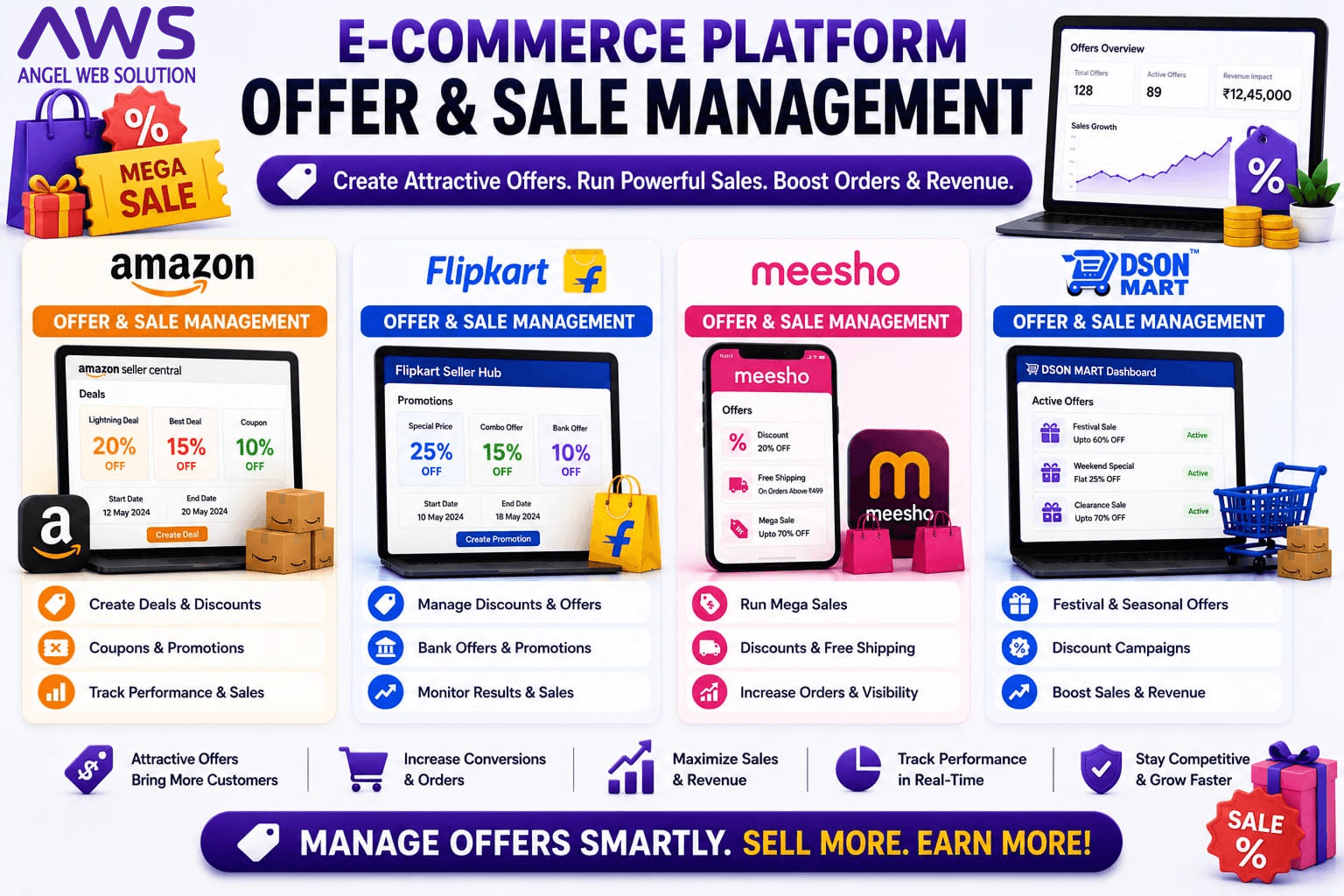
This section is part of our complete E-Commerce Seller Registration Guide, covering everything sellers need to know after setting up their marketplace accounts. Running successful offers is one of the most effective ways to increase sales. Customers often compare prices across multiple marketplaces before making a purchase, and attractive promotions can influence their buying decisions.
Offer management involves planning and executing discounts, coupons, promotional pricing, and seasonal campaigns to encourage more purchases.
A well-designed promotional strategy not only increases short-term sales but also helps attract new customers and improve product visibility.
Types of Marketplace Offers
Most marketplaces support a variety of promotional options.
Percentage Discounts
Offering a percentage reduction on the product price encourages customers to complete purchases.
Flat Discounts
Providing a fixed amount off the selling price can make products more attractive during promotional periods.
Coupons
Digital coupons encourage customer engagement and can increase repeat purchases.
Bundle Offers
Selling complementary products together often increases the average order value.
Festival Campaigns
Participating in marketplace events during festivals and major shopping seasons can significantly increase product exposure and sales.
Amazon Offer Management
Amazon regularly organizes promotional campaigns that allow sellers to showcase products to millions of shoppers.
Popular opportunities include:
- Great Indian Festival
- Prime Day
- Lightning Deals
- Seasonal Promotions
Participating in these events with optimized listings and sufficient inventory can improve business performance.
Flipkart Offer Management
Flipkart’s major shopping events provide excellent opportunities for sellers.
Examples include:
- Big Billion Days
- Big Saving Days
- Independence Day Sales
- Festive Campaigns
Preparation is essential. Sellers should ensure:
- Inventory availability
- Competitive pricing
- Updated product information
- Reliable order processing
Meesho Offer Management
Meesho encourages sellers to participate in promotional activities that appeal to value-conscious customers.
Successful strategies include:
- Competitive pricing
- Limited-time discounts
- Product bundles
- Seasonal promotions
Maintaining product quality while offering attractive pricing helps improve customer satisfaction.
Dsonmart Offer Management
Dsonmart provides promotional opportunities that help businesses increase product visibility and customer engagement.
Effective promotional planning includes:
- Special discounts
- Seasonal campaigns
- New product launches
- Bundle offers
- Customer loyalty initiatives
Professional Pricing Strategy
A successful promotional campaign should always balance customer value with business profitability.
Consider the following before launching offers:
- Product cost
- Marketplace fees
- Shipping expenses
- Advertising budget
- Target profit margin
- Inventory availability
Avoid excessive discounts that reduce profitability or create unrealistic customer expectations.
Common Advertising Mistakes
Many sellers invest in advertising without proper planning.
Common mistakes include:
- Promoting poorly optimized listings.
- Using low-quality product images.
- Ignoring campaign reports.
- Setting unrealistic budgets.
- Advertising products with insufficient inventory.
- Failing to monitor return on investment.
Reviewing campaign performance regularly helps maximize advertising efficiency.
Angel Web Solution Marketplace Growth Services
Advertising and promotions require continuous optimization to deliver consistent results. At Angel Web Solution, we help businesses create data-driven marketplace growth strategies.
Our services include:
- Marketplace Advertising Setup
- Sponsored Product Campaign Management
- Listing Optimization
- Campaign Performance Monitoring
- Pricing Strategy
- Promotional Planning
- Seasonal Sale Preparation
- Marketplace Analytics
- Business Growth Consultation
By combining optimized listings with strategic advertising and promotional campaigns, businesses can improve visibility, attract more customers, and increase long-term profitability.
Return Management, Withdrawal & Final Marketplace Comparison Guide
(Final Part of the Complete E-Commerce Seller Registration Guide)
SEO Focus Keyword: E-Commerce Seller Registration Guide
Secondary Keywords:
- Amazon Return Management
- Flipkart Return Claim
- Meesho Return Process
- Dsonmart Return Policy
- Seller Withdrawal Process
- Marketplace Payment Settlement
- Online Seller Guide
- Return Claim Process
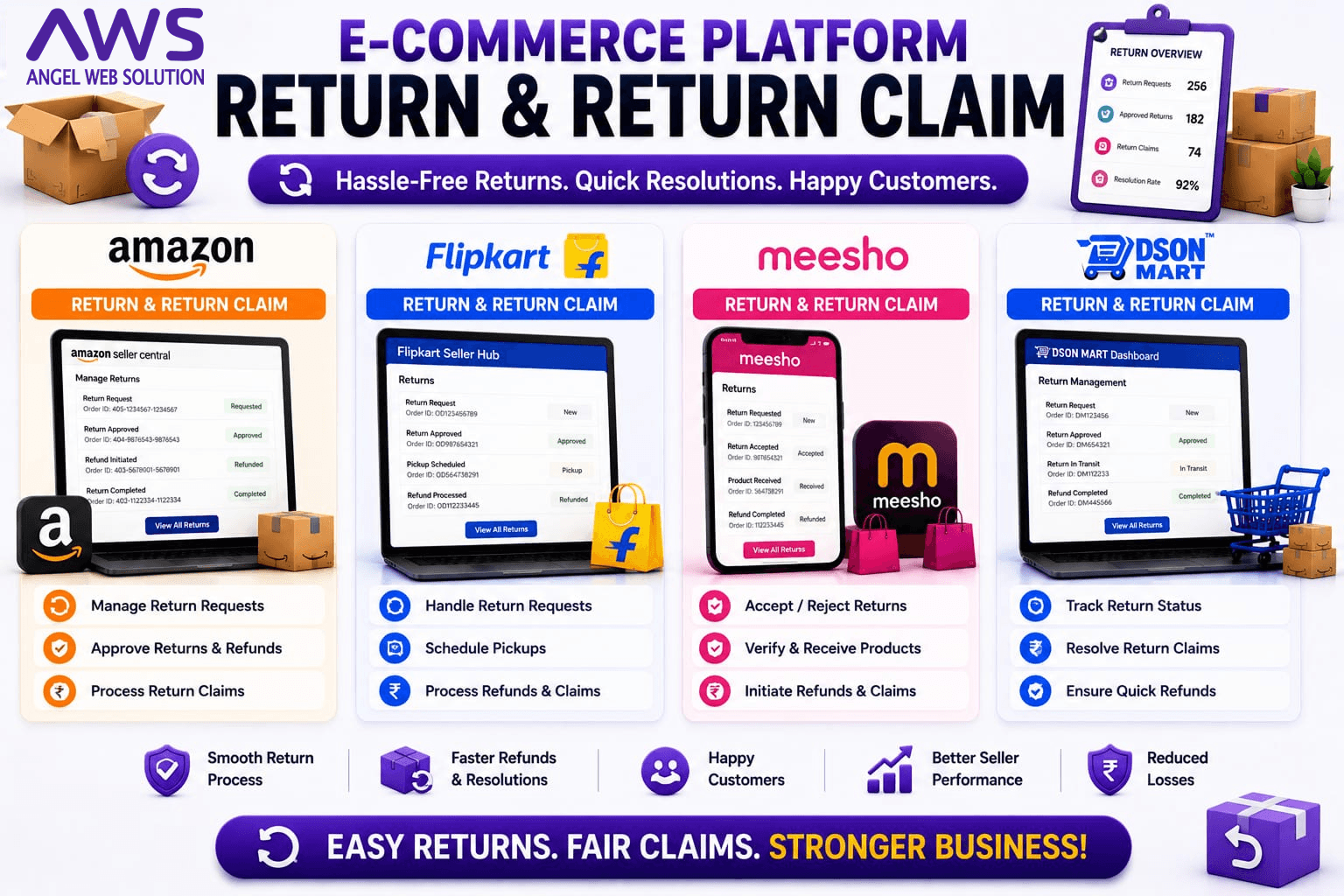
(Place Image Here – Return & Return Claim) Image ALT Text: Return and Return Claim Process for Amazon Flipkart Meesho and Dsonmart
Return Management – A Key Factor in Seller Success
As the next step in this E-Commerce Seller Registration Guide, it is important to understand return handling. Receiving orders is exciting, but handling returns professionally is equally important. Every online seller eventually faces product returns due to reasons such as damaged items, incorrect products, size issues, customer preferences, or delivery-related problems.
Many new sellers think returns are a loss, but in reality, a well-managed return process builds customer trust and improves marketplace performance. Customers are more confident buying from sellers who handle returns quickly and professionally.
Instead of trying to avoid returns completely, successful businesses focus on reducing unnecessary returns through accurate product listings, quality control, secure packaging, and responsive customer support.
Why Do Customers Return Products?
Understanding return reasons helps businesses improve product quality and customer satisfaction.
Common reasons include:
- Wrong Product Delivered
- Damaged Product
- Defective Product
- Size or Fit Issues
- Product Different from Images
- Missing Accessories
- Poor Packaging
- Customer Changed Mind
- Late Delivery
- Duplicate Order
By analyzing return trends, sellers can identify recurring problems and improve future performance.
Amazon Return Management
Amazon follows a structured return system designed to protect both buyers and sellers.
When a return request is raised, sellers can view:
- Order Details
- Return Reason
- Customer Information
- Product Status
- Return Timeline
After the product is received and inspected, the seller can determine whether the return meets marketplace guidelines.
Best Practices
- Inspect every returned item carefully.
- Record product condition.
- Update inventory correctly.
- Process approved returns promptly.
- Monitor return reports regularly.
Flipkart Return Management
Flipkart provides sellers with a dedicated dashboard for handling return requests.
The system allows sellers to:
- Review return requests.
- Verify return reasons.
- Track returned shipments.
- Update inventory.
- Monitor return performance.
Maintaining high product quality and accurate descriptions helps reduce unnecessary return requests.
Meesho Return Management
Meesho provides a simplified return process suitable for suppliers of all sizes.
The supplier panel helps sellers:
- Track return requests.
- Monitor shipment status.
- Review return reasons.
- Manage inventory updates.
- View settlement information.
Regular analysis of return reports helps identify opportunities for product and listing improvements.
Dsonmart Return Management
Dsonmart supports an organized return workflow that helps businesses manage customer requests efficiently.
The seller dashboard provides visibility into:
- Return Requests
- Product Status
- Inventory Updates
- Customer Support Cases
- Settlement Information
Professional return handling improves customer confidence and strengthens long-term business relationships.
Return Claim Process
(Place Image Here – Return & Return Claim)
A return claim allows sellers to raise concerns if they believe a returned product has issues such as damage, missing parts, or policy violations.
Typical situations include:
- Product damaged during return shipping.
- Wrong product returned.
- Missing accessories.
- Empty package received.
- Used product returned instead of original condition.
- Packaging damage affecting resale.
Supporting documentation, including photographs and relevant shipment details, can help during the review process where applicable.
Tips to Reduce Return Rates
Returns cannot always be avoided, but they can often be reduced.
Write Accurate Product Descriptions
Explain features clearly. Mention size, dimensions, material, compatibility, and package contents.
Use Professional Images
Show the actual product. Avoid misleading edited images. Display multiple viewing angles.
Improve Packaging
Strong packaging reduces transit damage. Use protective materials whenever required.
Quality Inspection
Check every product before shipping. Reject damaged inventory before dispatch.
Update Product Information
Whenever specifications change, immediately update the product listing.
Withdrawal & Payment Settlement
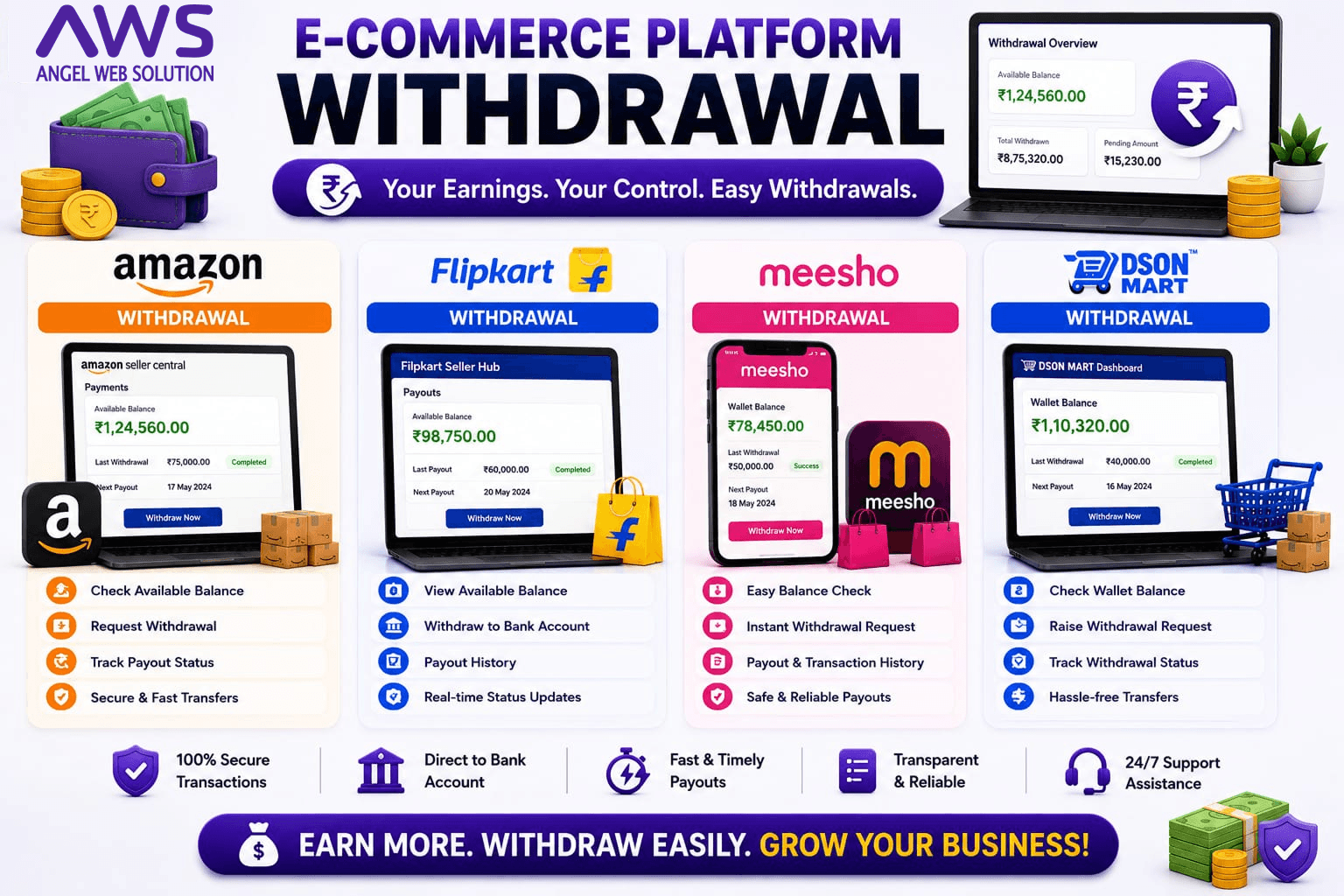
Selling products is only one part of the business. Receiving payments accurately and on time is equally important, and this is another essential stage covered in this E-Commerce Seller Registration Guide.
Every marketplace follows a settlement process where payments are transferred to the seller after successful order completion according to the marketplace’s settlement schedule.
The seller dashboard generally provides access to:
- Settlement Reports
- Payment History
- Order Deductions
- Marketplace Fees
- Tax Details
- Bank Transfer Information
Monitoring these reports regularly helps businesses maintain accurate financial records.
Amazon Withdrawal
Amazon provides settlement reports that allow sellers to review completed orders, applicable deductions, and transferred payments.
Sellers should regularly reconcile their marketplace reports with internal accounting records.
Flipkart Withdrawal
Flipkart offers detailed settlement reports through Seller Hub.
Businesses can review:
- Completed Payments
- Pending Settlements
- Marketplace Charges
- Transaction Details
Proper financial reconciliation helps avoid accounting discrepancies.
Meesho Withdrawal
Meesho suppliers can monitor payment settlements through the supplier dashboard.
Regularly reviewing payment reports ensures transparency and helps businesses track cash flow.
Dsonmart Withdrawal
Dsonmart provides settlement information through its seller dashboard, allowing businesses to monitor completed transactions and payment history.
Maintaining updated banking information helps ensure smooth settlement processing.
Marketplace Comparison
The following comparison, part of our E-Commerce Seller Registration Guide, can help you evaluate which platform best fits your business goals.
| Feature | Amazon | Flipkart | Meesho | Dsonmart |
| Registration | Excellent | Excellent | Excellent | Excellent |
| Beginner Friendly | Good | Good | Excellent | Excellent |
| Product Upload | Advanced | Advanced | Easy | Easy |
| Brand Approval | Available | Available | Available | Available |
| Advertising | Advanced | Advanced | Growing | Growing |
| Order Management | Excellent | Excellent | Good | Good |
| Return Management | Professional | Professional | Simple | Seller Friendly |
| Payment Reports | Detailed | Detailed | Easy | Easy |
| Business Growth | Excellent | Excellent | Very Good | High Potential |
Which Marketplace Should You Choose?
Every business has different objectives, products, and growth plans. There is no single platform that is perfect for everyone. This decision is one of the most important steps in any E-Commerce Seller Registration Guide, since it shapes your entire selling strategy.
Choose Amazon if:
- You want nationwide reach.
- You sell branded products.
- You plan to scale aggressively.
- You need advanced advertising tools.
Choose Flipkart if:
- You target Indian customers.
- You sell electronics or fashion.
- You want to participate in large promotional events.
Choose Meesho if:
- You are a beginner.
- You sell affordable products.
- You operate from home.
- You are testing the online market.
Choose Dsonmart if:
- You want personalized seller support.
- You are building a growing brand.
- You prefer a seller-friendly environment.
- You want additional marketplace opportunities.
Why Choose Angel Web Solution?
Managing multiple marketplaces requires expertise, consistency, and continuous optimization. Instead of spending valuable time understanding every platform individually, businesses can work with experienced professionals who simplify the entire process.
Angel Web Solution Services
- ✔ Marketplace Registration
- ✔ Amazon Seller Account Setup
- ✔ Flipkart Seller Setup
- ✔ Meesho Seller Setup
- ✔ Dsonmart Seller Setup
- ✔ GST Consultation
- ✔ Product Catalog Upload
- ✔ SEO Product Listings
- ✔ Brand Approval Assistance
- ✔ Product Image Optimization
- ✔ Marketplace Advertising
- ✔ Order Management
- ✔ Inventory Management
- ✔ Return Management
- ✔ Marketplace Growth Strategy
- ✔ Seller Performance Monitoring
- ✔ Marketplace Consultation
Whether you are a startup, wholesaler, manufacturer, retailer, or established brand, Angel Web Solution provides complete marketplace management solutions designed to help your business grow efficiently.
Final Conclusion
Selling online is no longer optional for businesses that want to grow in today’s digital economy. Marketplaces like Amazon, Flipkart, Meesho, and Dsonmart provide access to millions of customers, but long-term success depends on much more than simply creating a seller account.
Businesses that focus on professional registration, optimized product catalogs, strategic advertising, efficient order management, effective return handling, and continuous marketplace optimization are better positioned to build sustainable growth.
Whether you are launching your first product or expanding an established brand, following the best practices outlined in this E-Commerce Seller Registration Guide can help you avoid common mistakes, improve customer satisfaction, and maximize business opportunities.
If you are looking for a trusted partner to simplify marketplace selling, Angel Web Solution can help you manage every stage of your e-commerce journey—from seller registration to business growth—allowing you to focus on what matters most: growing your brand and serving your customers.